Every page and PDF,
checked against WCAG 2.2.
Kozite scans your site on a schedule, turns what it finds into issues your team can assign and fix, confirms each fix on the live page, and keeps the record you'll need if anyone asks.
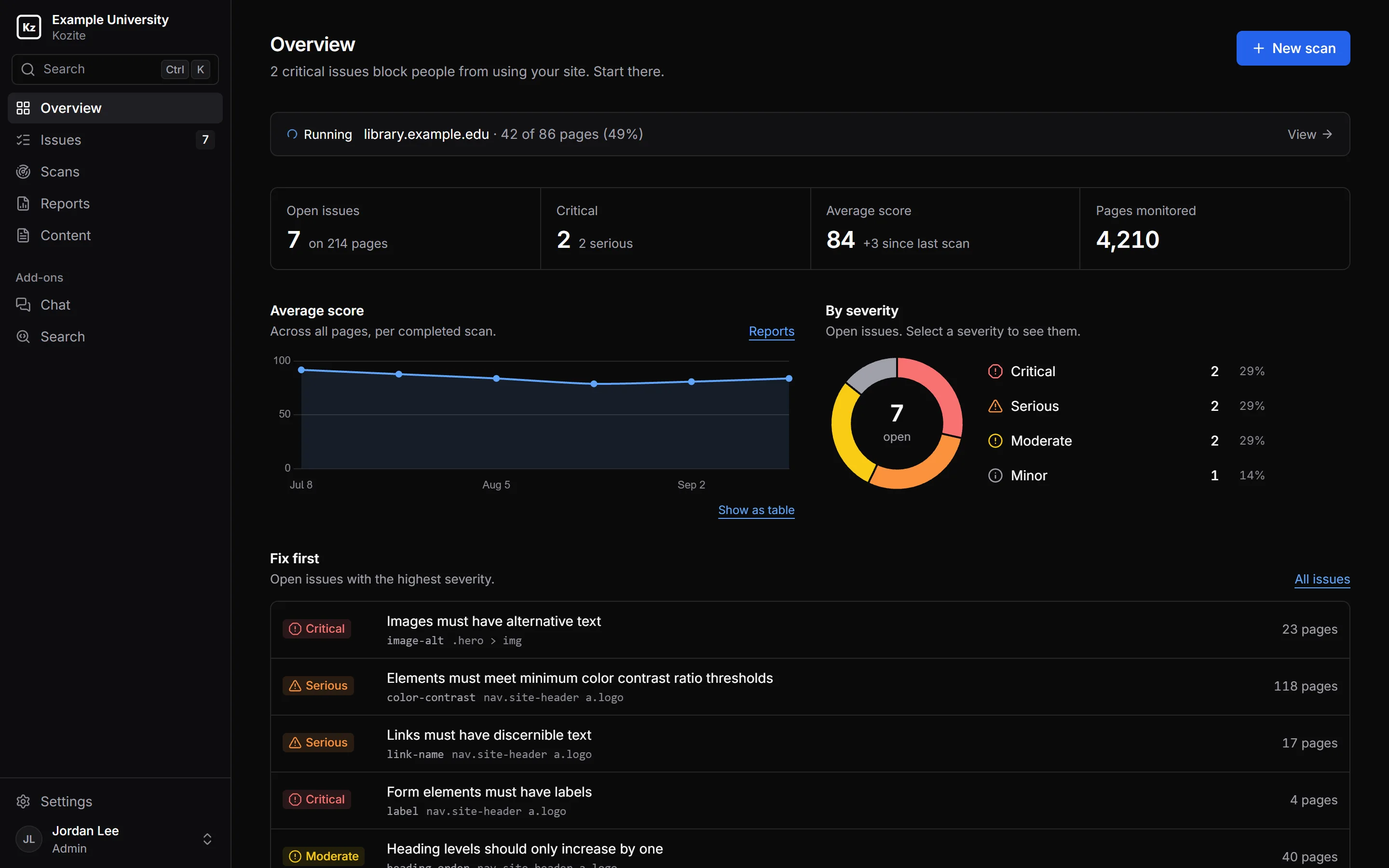
Scans that see what your visitors see.
A page isn't its source code. Kozite loads each one in a real browser and checks what actually rendered.
A real browser
Pages load in headless Chrome and their scripts run before anything is checked, so menus, tabs, carousels and content loaded by JavaScript are all included.
WCAG 2.2 A and AA
The checks come from axe-core, the open-source rules engine behind most accessibility testing tools. Every finding names the success criterion and level it fails.
PDFs
PDFs linked from your pages are checked for tags, reading order, image alt text and heading structure. Issues in a PDF point to the page number.
Three ways to scan
A single page, a sitemap, or the whole site by following its links. Pages that need a login are skipped and listed, so you know what wasn't checked.
Schedules and exclusions
Scheduled scans run weekly on Starter, daily on Pro, and on any schedule you need on Enterprise. Exclude paths such as /events/** so calendars and search pages don't flood your results.
What changed
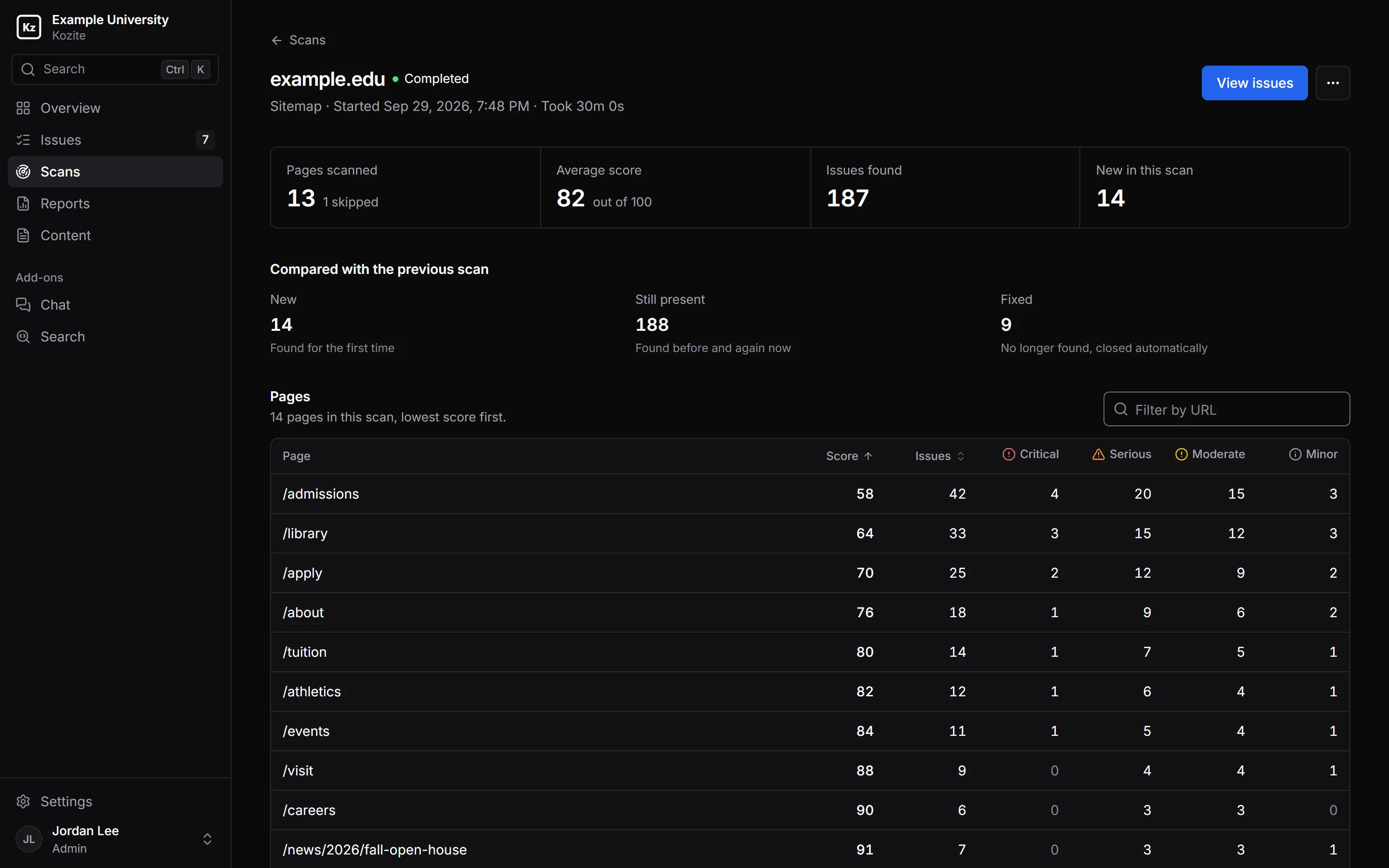
Each scan is compared with the one before: new issues, issues still present, and issues that no longer fail, which close on their own.
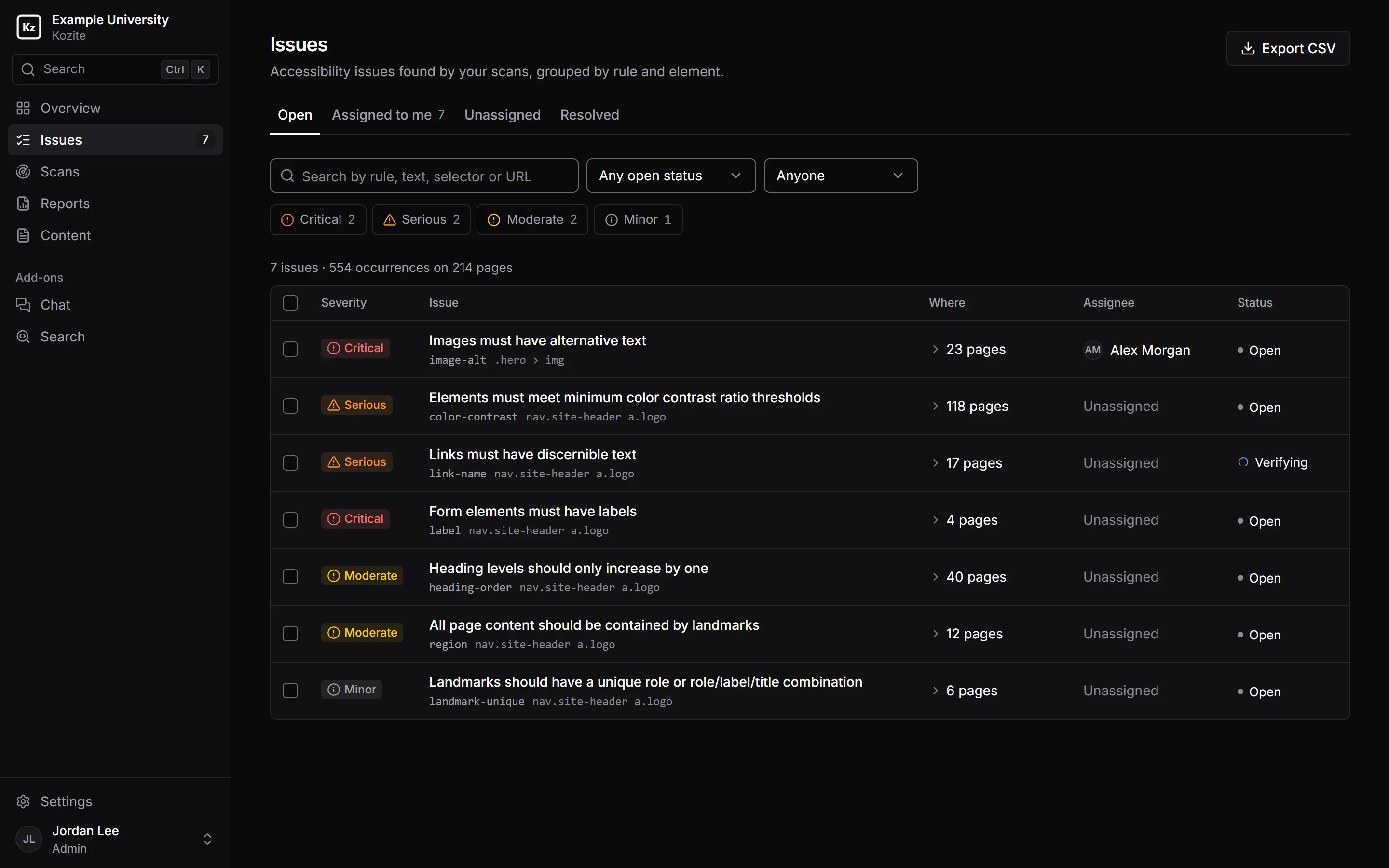
Grouped into issues you can finish.
The same rule failing on the same element across your site is one issue. A missing label on the search box in your header is one fix, even if the header is on 300 pages.
- Ranked critical, serious, moderate and minor, always shown with an icon and a label
- Views for Open, Assigned to me, Unassigned and Resolved
- Filter by severity, status, person, scan or page; the link keeps your filters
- Assign, verify, mark won't fix or export to CSV in bulk
- A history on every issue: who assigned it, who changed it, what verification found
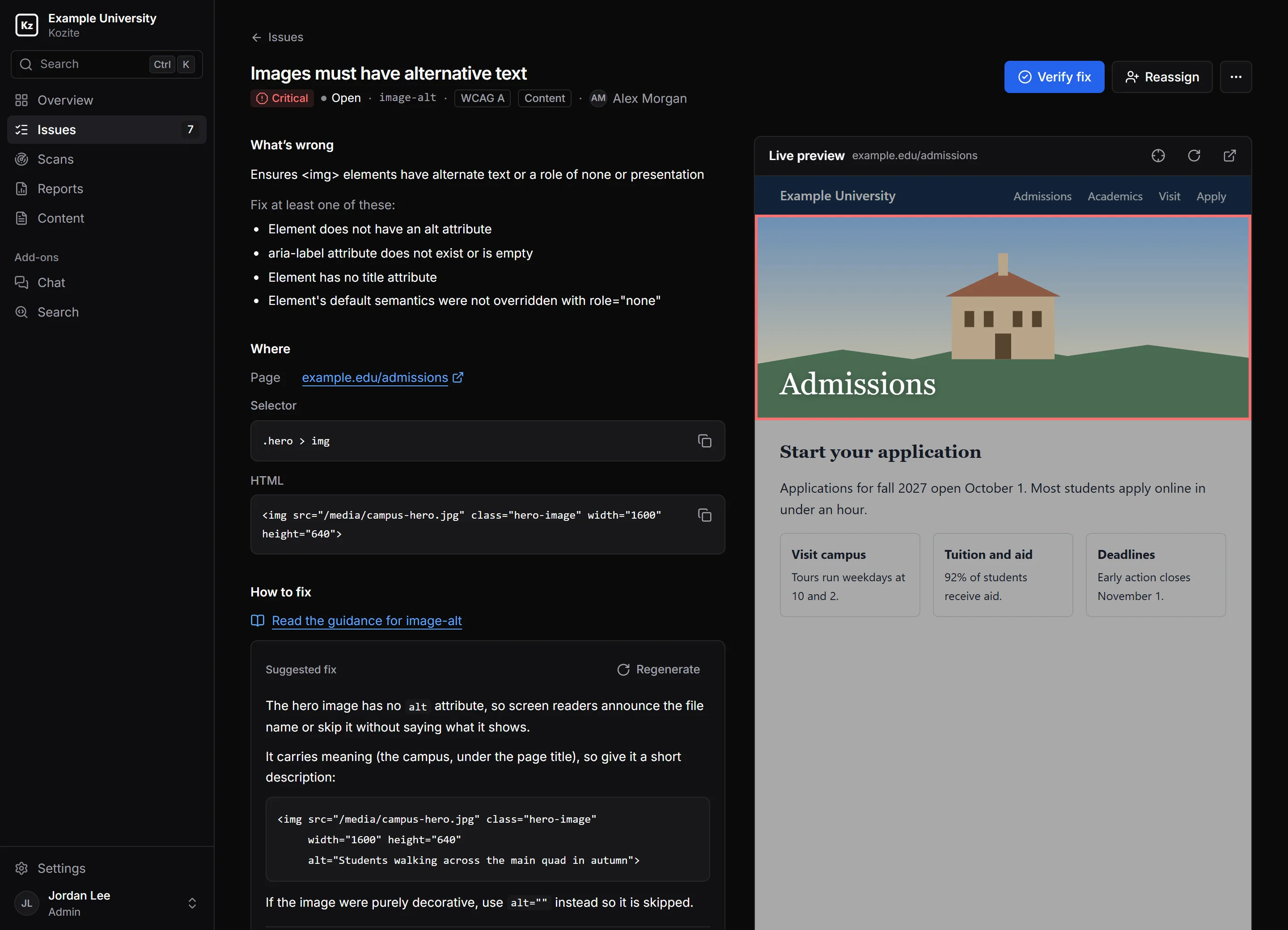
The fix, next to the problem.
Open an issue and the failing element is highlighted on a live copy of the page, with its selector, its HTML and the rule's guidance alongside.
Suggest a fix drafts a code change for that exact element. It's labelled as generated so your developer knows to review it. Starter includes 100 suggestions a month, Pro 500.
- Verify fix re-runs the rule on the live page and closes the issue only if it passes
- Also on other pages: step through every occurrence without leaving the issue
Broken links and hard reading, too.
The same scans check the words and links on your pages, because a dead link or a wall of jargon stops people just as surely as a missing label.
Broken links
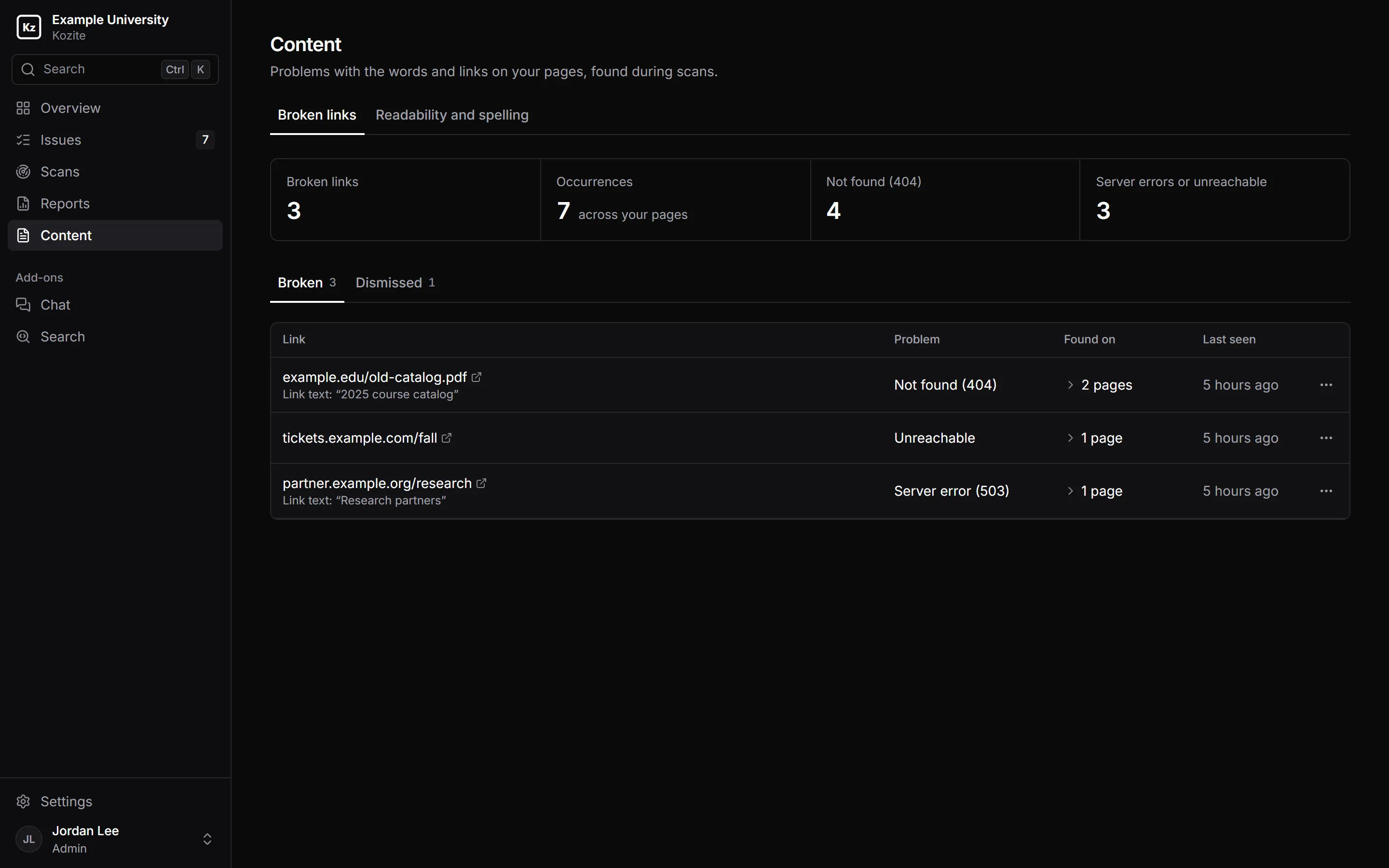
Links that return a 404, a server error or no response at all, with the page they're on and the link text, so they're quick to find. Recheck after a fix, or dismiss links you know about.
Readability and spelling
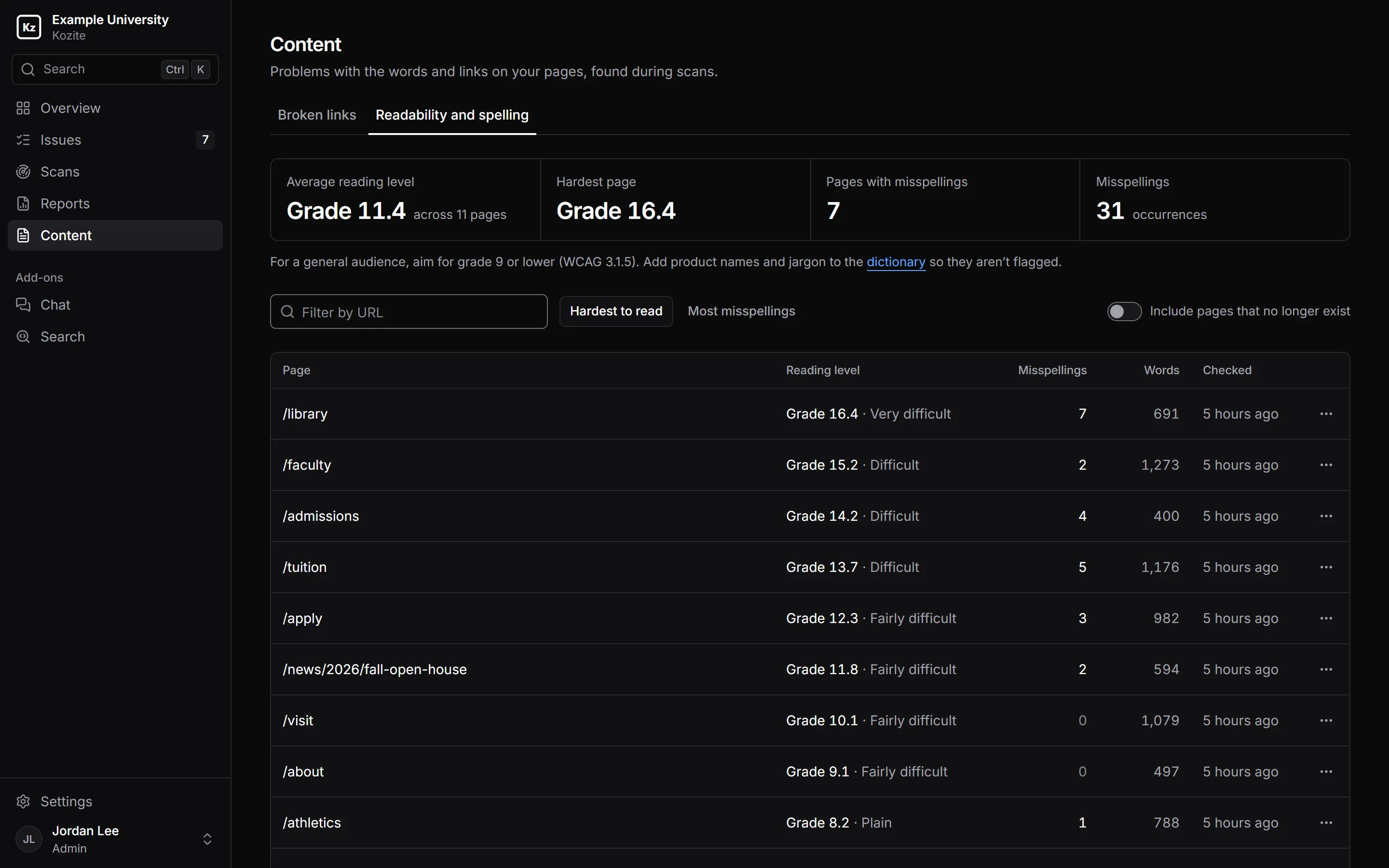
Each page gets a reading grade level, hardest first. WCAG suggests grade 9 or lower for a general audience. Misspellings are listed per page, and your organization's dictionary keeps names and jargon from being flagged.
A record you can hand to legal.
When someone asks what you've done about accessibility, the answer is already written down.
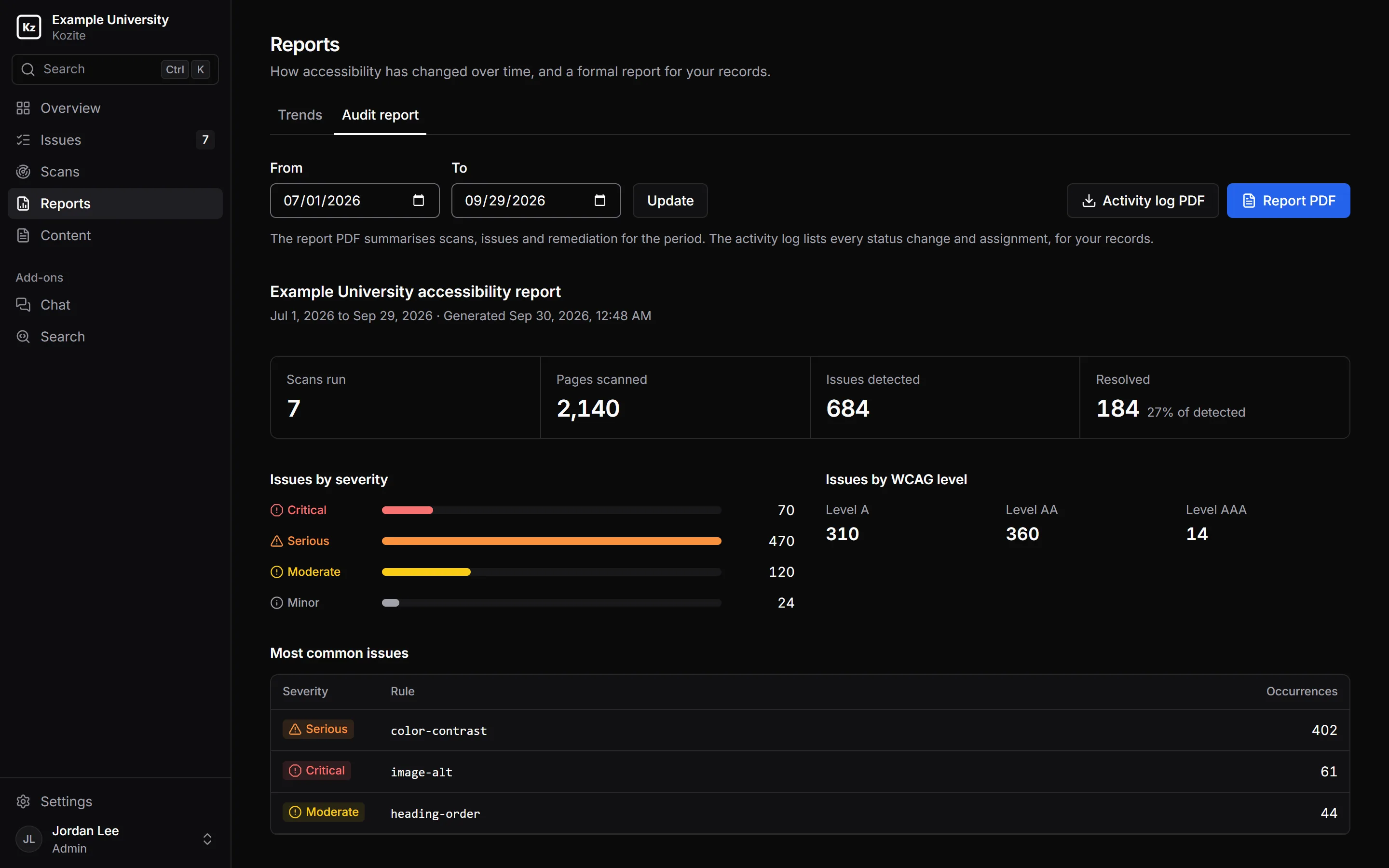
- Audit report PDF. Scans run, pages checked, issues found and resolved by severity and WCAG level, and average time to fix, for any date range.
- Activity log PDF. Every status change and assignment, with who and when.
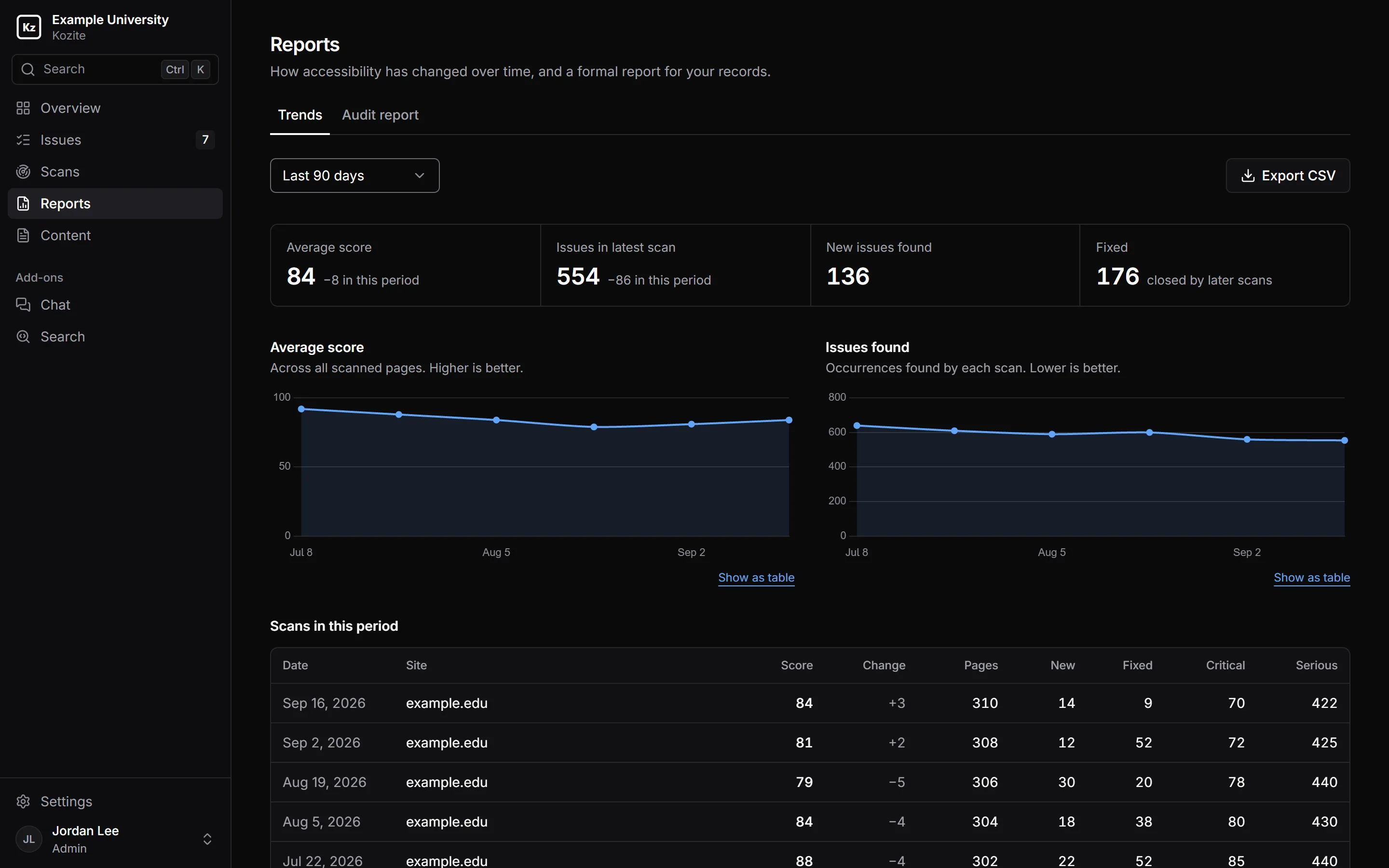
- Trends. Average score and issue counts scan by scan, as a chart or a table, with CSV export.
Built for more than one person.
Roles
Viewers can look. Editors work on issues. Managers assign work and run reports. Admins manage members, settings and billing.
Departments
Split your site by department so each team sees its own pages and issues. Assign pages by hand on Starter, or by URL pattern on Pro and Enterprise.
Email notifications
People choose what they hear about: finished scans, failed scans, and issues assigned to them.
An accessible product
Kozite itself is built to WCAG 2.2 AA, with full keyboard support, both light and dark themes, and severity that never relies on colour alone.
See it on your own site.
Send us your URL. We'll run a scan and go through the results with you, usually within one business day.