Accessibility
you can prove.

Kozite scans every page and PDF on your site for WCAG 2.2 failures, groups each problem across pages, and keeps it open until a re-scan confirms the fix. The record it keeps becomes your audit report.

How it works

Want to see what a scanner sees? .

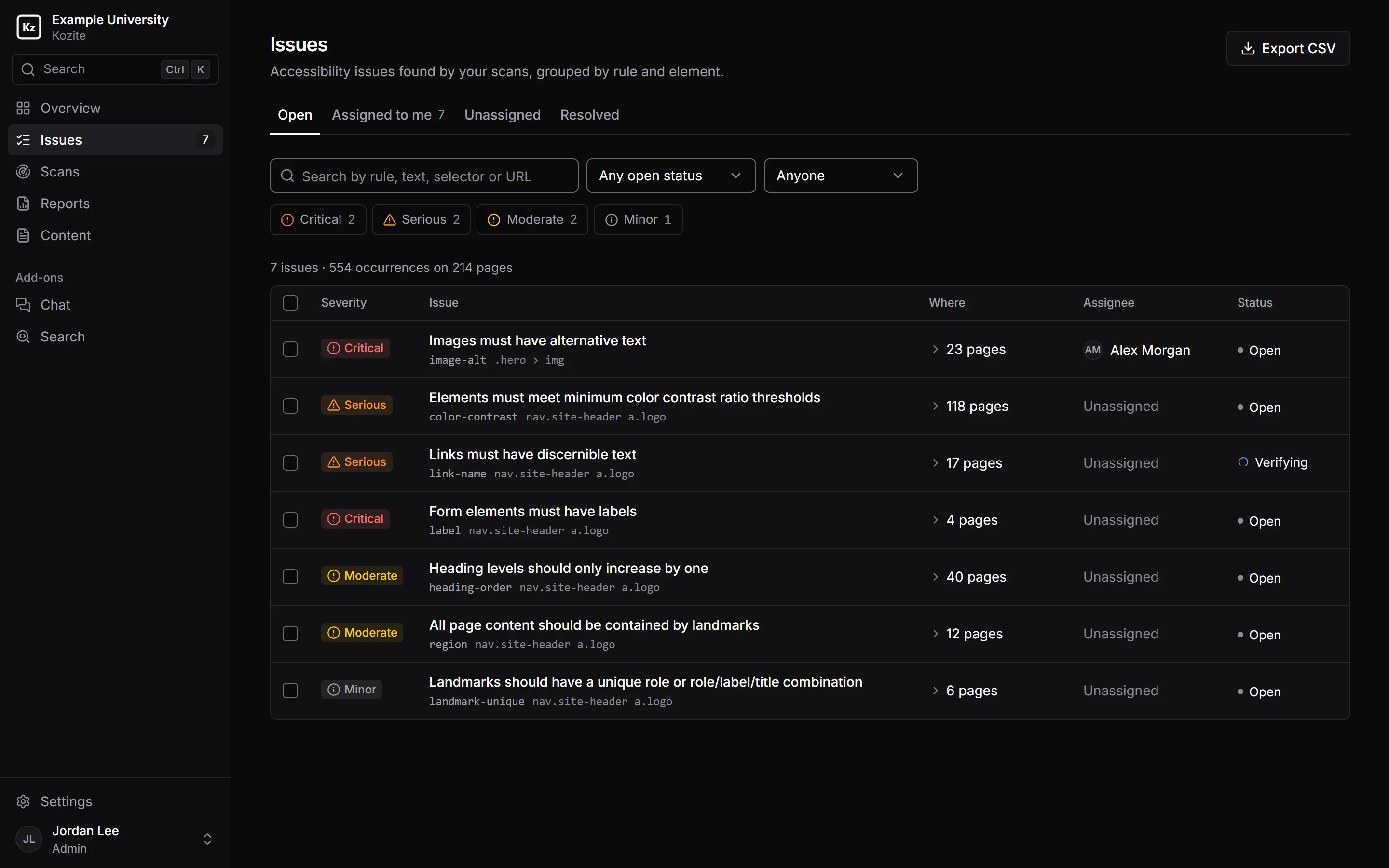
The Issues page in Kozite. Seven open issues found on 214 pages, each with a severity, the rule and element, the number of pages, an assignee and a status. One issue is assigned to Alex Morgan and one is being verified.
  1. Everyone has a queue Issues assigned to you appear under Assigned to me, with a count in the sidebar.
  2. 554 failures, 7 issues The same rule failing on the same element is one issue. Fix the template once and every page using it passes.
  3. Checked on the live page Verify fix runs the rule again. The issue closes only if it passes.

WCAG 2.2 A and AA Section 508 EN 301 549 European Accessibility Act ADA Title II

How common accessibility failures are

94.8% of the top million home pages had WCAG failures that automated testing can detect, an average of 51 per page.

Source: WebAIM Million, 2025

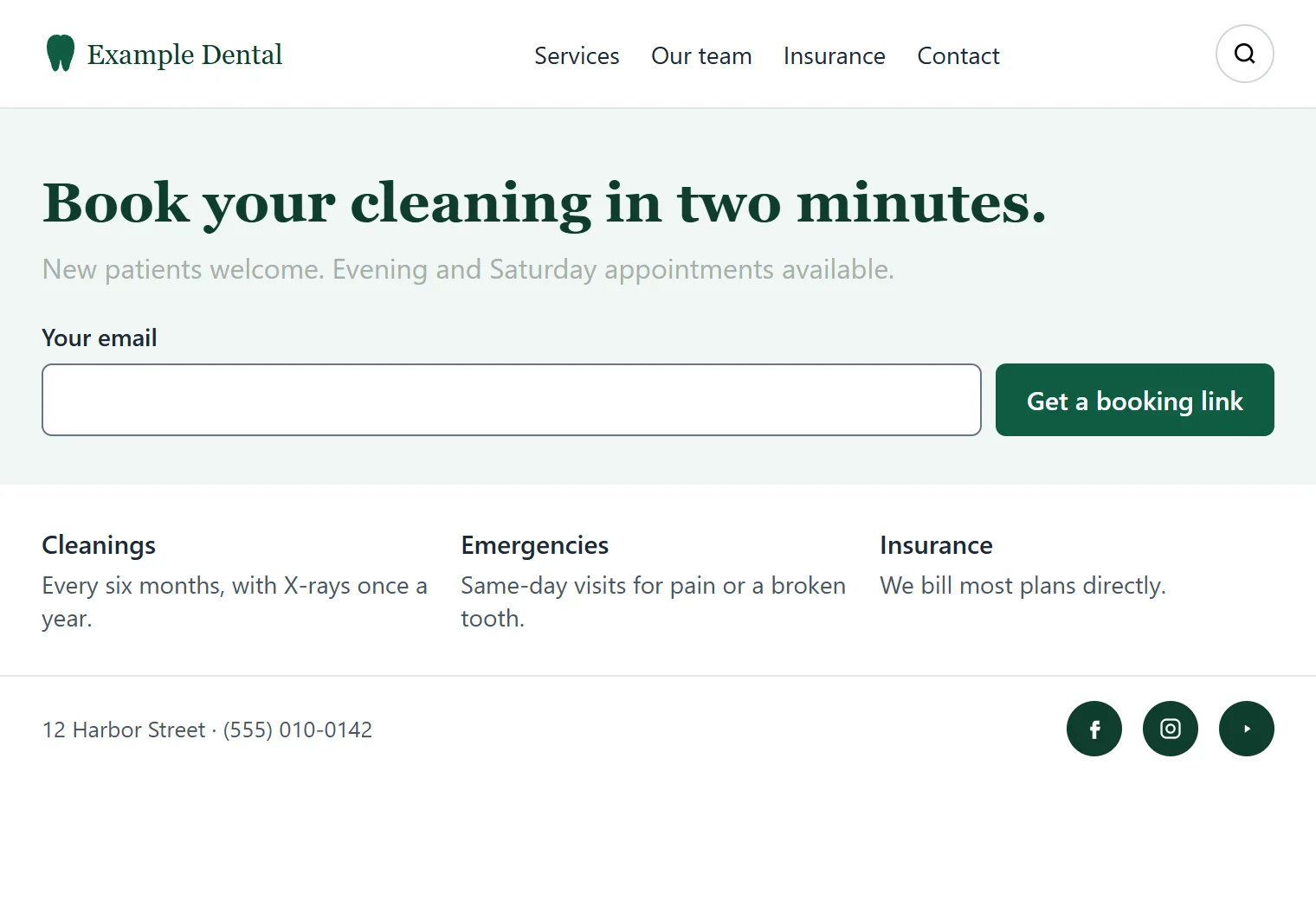
sample page: example-dental

A sample dentist's home page with a logo, a booking headline, an email sign-up box, a search button and social media links.

Scan a page right here

This sample page has five deliberate problems. The scan runs axe-core, the open-source engine Kozite uses, in your browser. Nothing is sent anywhere.

    Automated checks catch the common failures on every page, every time. Some things, like whether alt text actually describes the image, still need a person to judge.

    What happens to an issue after it's found.

    A one-off audit ends with a spreadsheet. In Kozite each issue stays open, with an owner and a history, until the page passes.

    1. 01 Scan

      Check the pages people actually see.

      Kozite opens each page in Chrome, waits for its scripts to finish, and checks what rendered against WCAG 2.2 A and AA. It follows links to PDFs and checks those too.

      Scan one page, a sitemap or the whole site, on demand or on a schedule.

      Open
    2. 02 Group

      One issue, however many pages it's on.

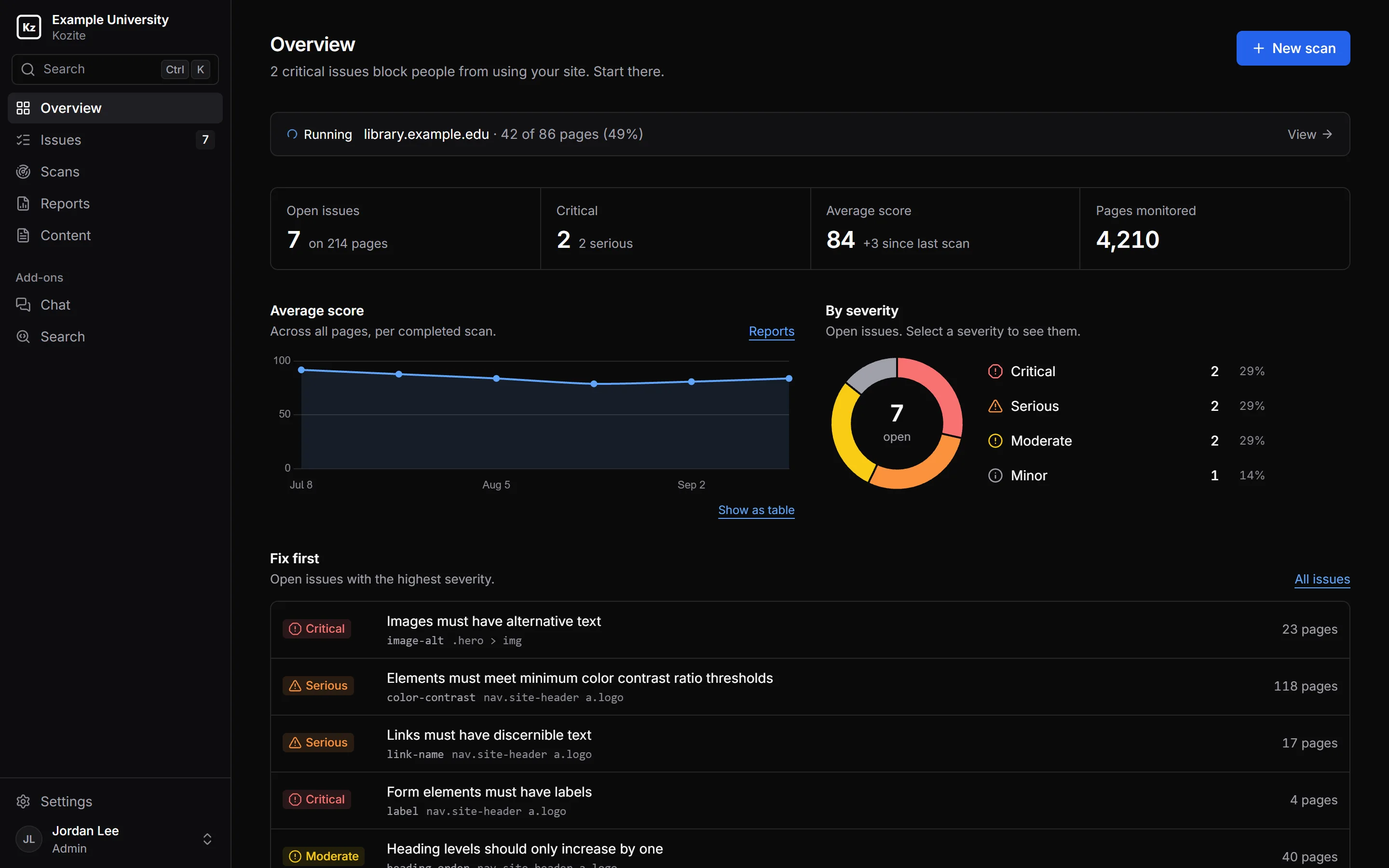
      A hero image without alt text in a shared template is one issue with 61 occurrences. Issues are ranked by how badly they block people, so critical problems come first.

      Kozite's Overview page: a running scan, seven open issues on 214 pages, an average score of 84 trending over time, a donut chart of open issues by severity, and a Fix first list.
    3. 03 Assign

      Give it an owner.

      Assign issues one at a time or in bulk. Filter by severity, status, person, scan or page, and share the link: filters live in the URL.

      Departments limit people to their part of the site, so the library team only sees library pages.

      Open, assigned
    4. 04 Fix

      See the element, the code and a suggested change.

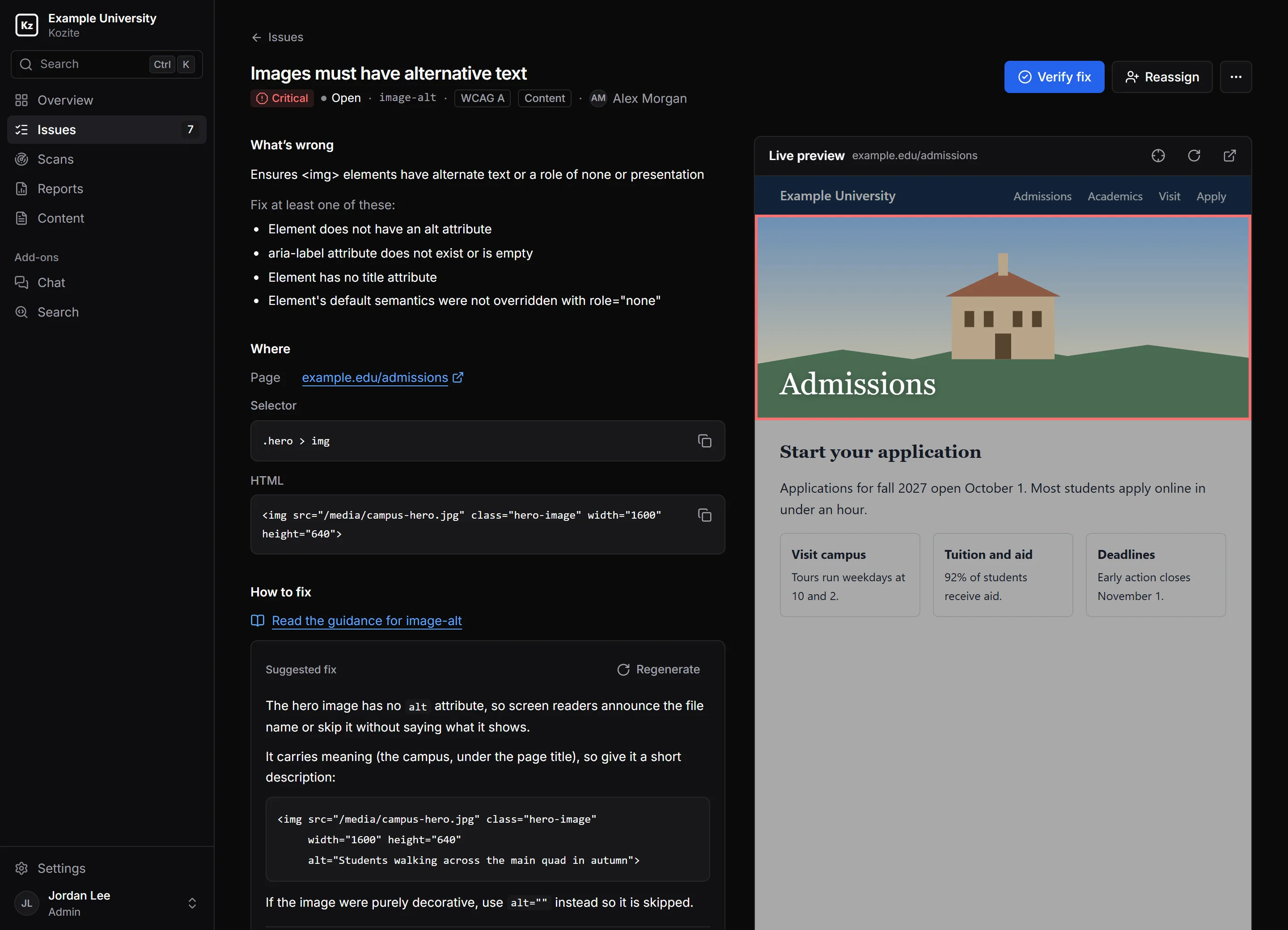
      Each issue shows the failing element highlighted on a live copy of the page, with its selector, its HTML and the rule's guidance.

      Suggest a fix drafts a code change for that exact element. It's labelled as generated, so whoever applies it knows to check it.

      In progress
      An issue in Kozite: Images must have alternative text. The page preview highlights the hero image, and a suggested fix adds an alt attribute describing students walking across the main quad.
    5. 05 Verify

      Close it when it passes.

      Verify fix runs the rule again on the live page. If it passes, the issue is marked fixed and verified. If not, it goes back to open with a note saying so.

      Every scheduled scan does the same for the whole site, and closes anything that no longer fails.

      Fixed (verified)
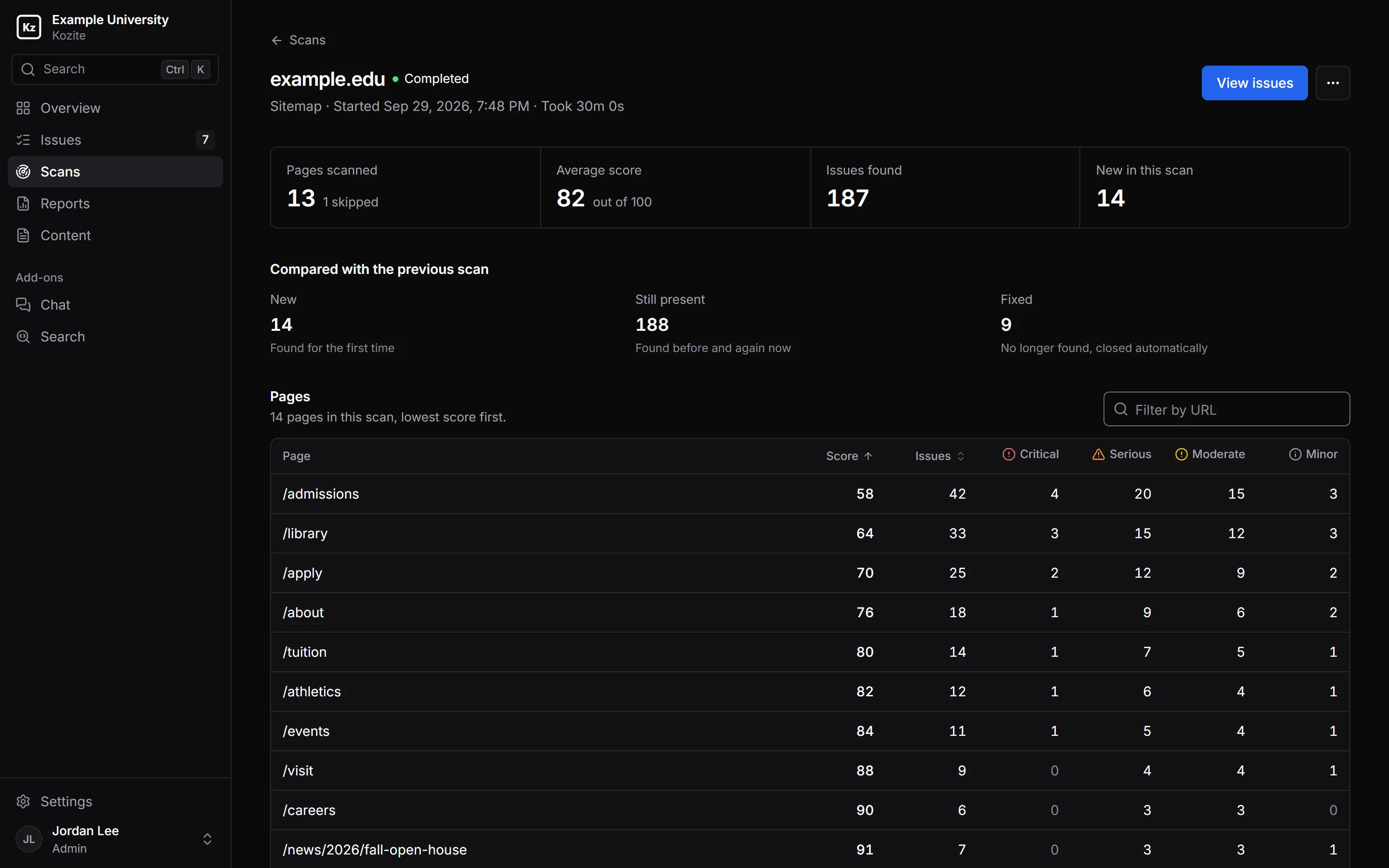
      A completed scan of example.edu: 13 pages scanned, an average score of 82, and a comparison with the previous scan showing 14 new issues, 188 still present and 9 fixed.
    6. 06 Report

      Show your work.

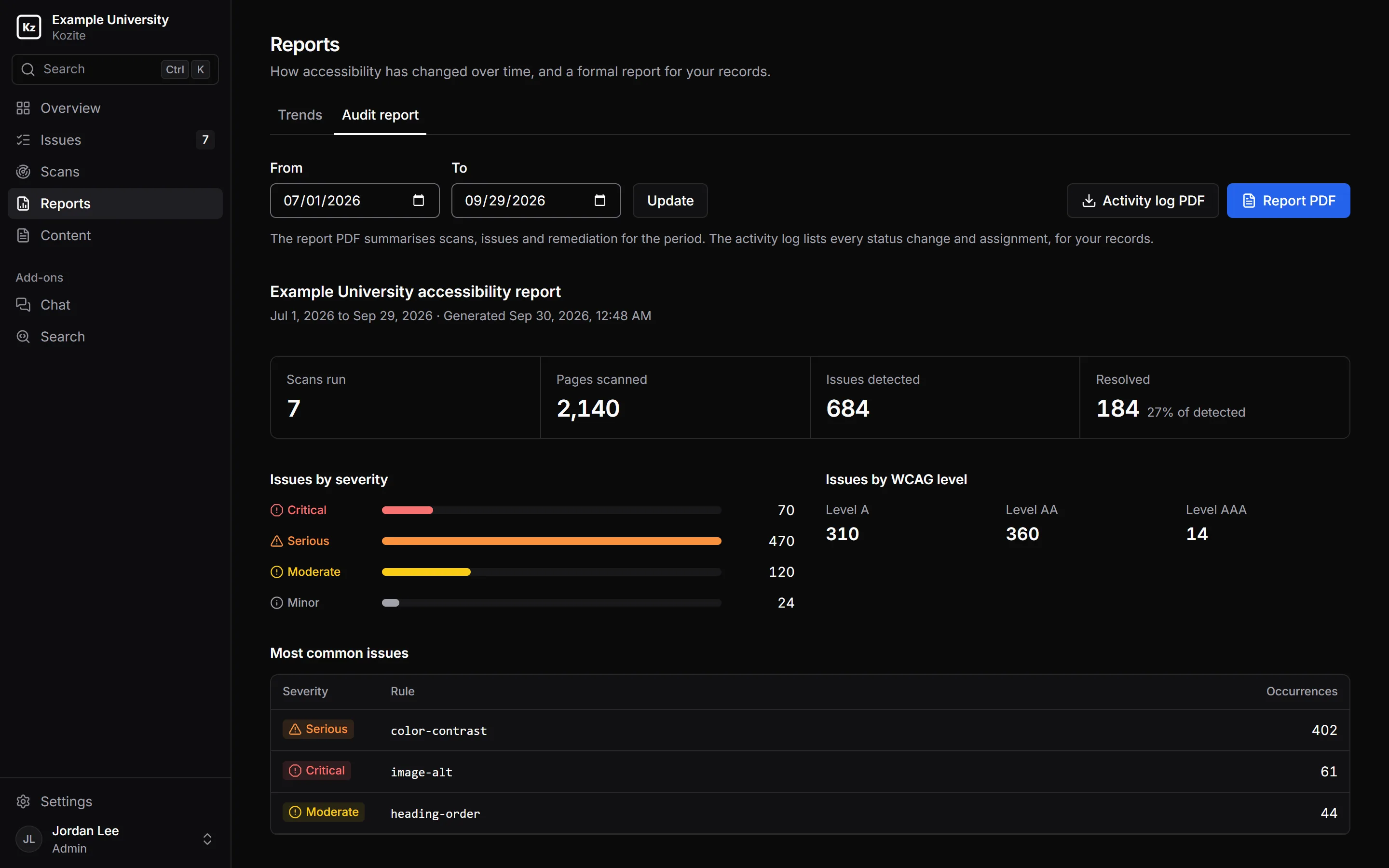
      The audit report covers any date range: scans run, pages checked, issues found and fixed, and how long fixes took. The activity log lists every status change and assignment, with who and when.

      Kozite's audit report for Example University from July 1 to September 29, 2026: 7 scans, 2,140 pages scanned, 684 issues detected and 184 resolved, with downloads for the report PDF and the activity log PDF.

    Everything in Kozite's accessibility monitoring

    Search and chat, built from the same scans.

    The AI Suite adds a search box and a chat assistant to your site. They answer from the pages, PDFs and images Kozite already reads, link to where each answer came from, and say so when your content doesn't cover a question.

    About the AI Suite

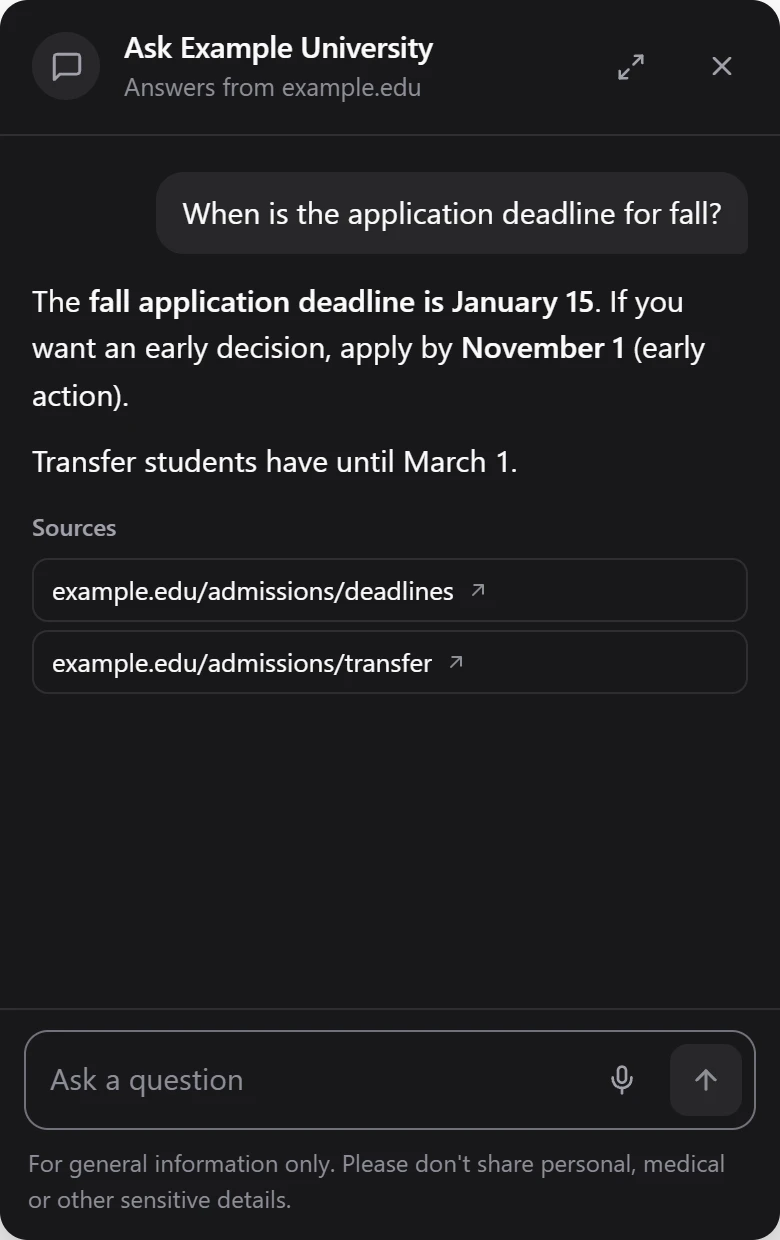
    The Kozite chat widget, titled Ask Example University. Asked when the fall application deadline is, it answers January 15, with early action by November 1 and transfer by March 1, and lists two source pages.
    Chat. Answers with links to its sources.
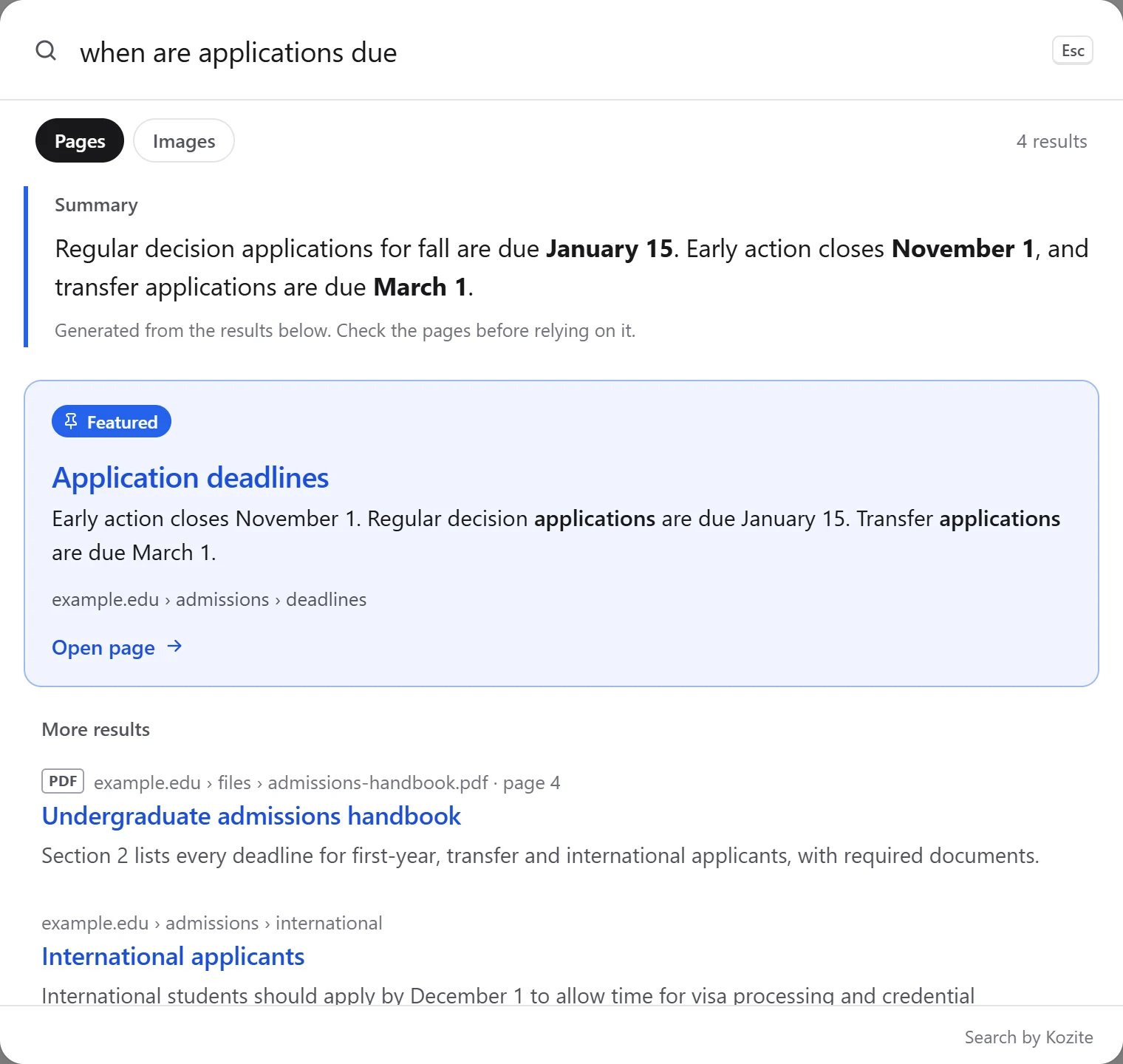
    The Kozite search widget. A search for 'when are applications due' shows a summary of the deadlines, marked as generated from the results, then the Application deadlines page as a featured result, and more results including a PDF handbook at page 4.
    Search. Matches by meaning across pages and PDFs, with an optional summary marked as generated.

    $199 a month on Starter or Pro Included with Enterprise One script tag per widget

    Pricing

    Every plan includes scanning, issue tracking, verification and reports. Plans differ in how much of your site they cover. Save 15% by paying annually.

    Starter

    $69a month

    • 500 pages
    • 5 team members, 3 departments
    • Weekly scheduled scans

    Pro

    $249a month

    • 5,000 pages
    • 25 team members, unlimited departments
    • Daily scheduled scans

    Enterprise

    Custom

    • Unlimited pages and team members
    • AI Suite included
    • Priority support and onboarding

    Compare plans in detail

    Send us a URL.

    We'll scan your site and go through the results with you: what's urgent, what's quick, and what's worth fixing in your templates. It's free, and we reply within one business day.

    Get in touch

    Include your website address if you'd like a scan.